

Release high quality products with automated bug tracking and management
A powerful, simple and automated bug tracking and management system for you organization or teams to ship great software products on time with high quality. The app comes loaded with many features to help your team focus and plan better for the projects. This can be deployed on cloud or on-prem as required by you.


Enterprise-Grade & compliance
Built with security and privacy in mind
ISO
9001
Quality Management System (QMS)
ISO
27001
Information Security Management System (ISMS)
CASA
Cloud Application Security Assessment (Google), App Defense Alliance (ADA)
SOC 2
Type II

Audit report covering Security, Confidentiality, Availability, and Privacy Policy

Fully baked up Bug Tracking app with all the features
- Capture essential information of the bug
- Record crucial details at every stage
- Upload files, objects, documents
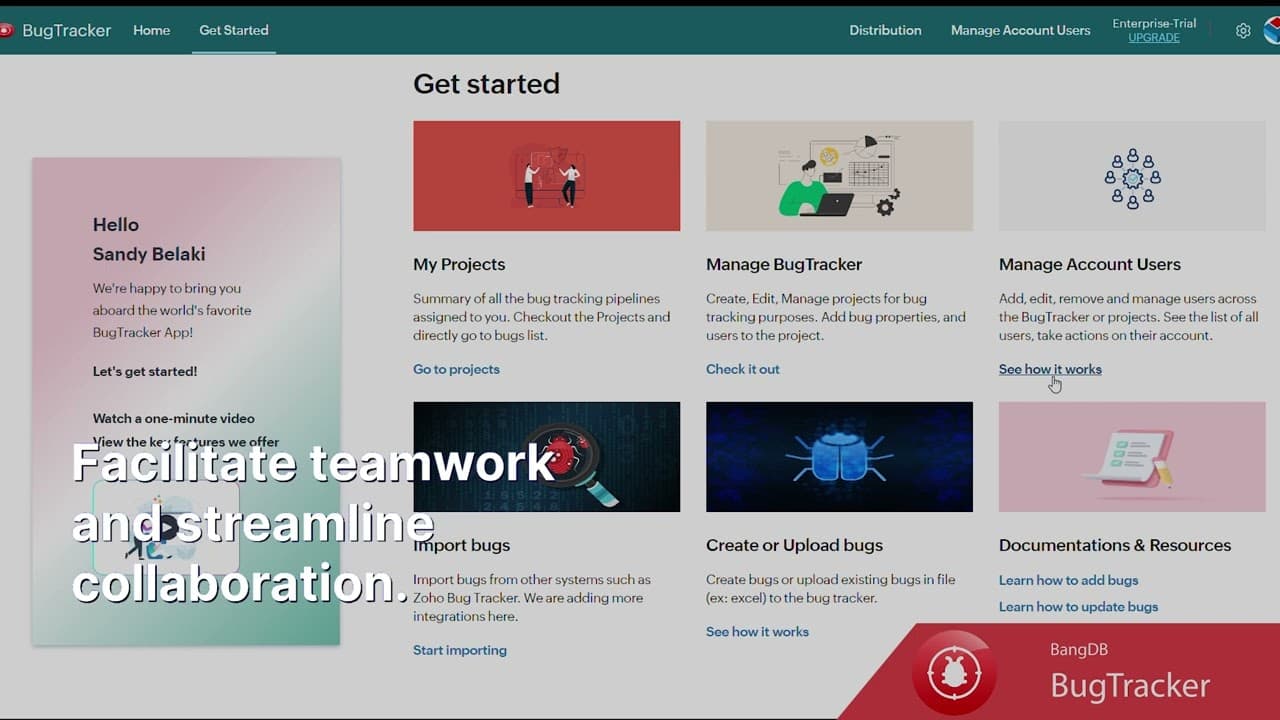
- Facilitate teamwork, streamline collaboration
- Track progress, status, and follow-up
Manage multiple projects, teams, bugs
- Create different projects as required
- Add team members, manage users
- Manage workflow for each project differently
- Monitor bugs and their resolution
- Role based access control for team members


Import bugs, Automate assignment and tracking
- Import bugs from other system like Zoho
- Upload bugs from excel sheet
- Manually create bugs using simple interface
- Route bugs from different systems programmatically using API
- Send emails, notifications for all events
Customize, Configure as suitable for your team
- Fully configurable workflow policy
- Add rules, filters as required for auto flow of bugs
- Define rules to auto assign bugs to users
- Set quotas, for team members
- Add custom fields, tags, or workflow as required


Statistics, Analysis and Reports for better insights
- Real time monitoring of the system
- Many different statistics for better insights
- Better decision-making with many analytics
- Create charts, dashboards to personalize
- Search, notifications, auto recommendations
Testimonials
"IQLECT has worked on initial ontology project for Cisco product and support pages to help automate processes in the CRM team. An integrated ML/IE layer gives our solution a much-needed edge. We foresee lots of potential going forwardand look forward to a much deeper engagement with them."
 Amit DCISCO
"Based on my experience as a CTO, BangDB is a fantastic database solution which offers high performance, scalability, and reliability. Powerful APIs and broad set of features made it easy to integrate into our solutions. I appreciate the level of support and documentation provided by the BangDB team. The collaboration was truly exceptional and we managed to tune the database exactly the way we needed. Overall, I have had a great experience using BangDB and would highly recommend it to others for their data storage & real-time processing need"
 Tomasz HanusiakSenior Software Engineer, IBM
"BangDB is a product that has good potential to cater to the real-time data analysis needs of an organization. The NOSql database provides you with a much more efficient alternative to the traditional relational database system like Microsoft SQL. The data is readily interconnected and ripe for the taking by any big data ingestion systems. The support from the BangDB team has been very responsive and reliable. It has made the adoption of their product much much easier. Overall, I'm looking forward to utilize BangDB to the best of its capability to help in achieving our organization's goals."
 Rahul AhujaTVAM
"We partnered with IQLECT to develop an end-to-end marketing automation and lead generation app which increased the conversion rate by 2x and generated 15% more incremental leads. IQLECT is the next best thing for the next best action. IQLECT purpose-built NoSQL, BangDB brings a convergence of AI and streaming to enable hyper real-time scenarios which are needed to solve such advanced problems. We did not find any other vendor who could match the business outcomes generated by IQLECT."
 Haider KhanAccenture
Comprehensive Bug Details
Collaborative Work Environment
Status Tracking
User-Friendly Interface
Centralized Information Hub
Store important docs and files right in the project
Add Custom fields based on your requirements.
Auto route & assign the bug

How To Install
This guide covers installing the Leads Management App, ensuring a seamless integration into your workflow. It provides step-by-step instructions for installing the app, granting access to powerful tools that enhance leads management efficiency.
Learn more
How To Use ( Docs )
This documentation serves as a comprehensive guide to effectively utilize and manage the Leads Management App. It covers every aspect from initial setup to advanced features, ensuring users can maximize their productivity and efficiency.
Learn more| Sl No | Features | BANGDB | Jira | BugHerd | Zoho BugTracker | ClickUp | Monday.com | Wrike | Asana | Trello | Freshservice |
|---|---|---|---|---|---|---|---|---|---|---|---|
| 1 | Custom Input Fields | Yes | Yes | No | Yes | Yes | Yes | Yes | Yes | No | Yes |
| 2 | Dashboard & Reports | Yes | Yes | Yes | Yes | Yes | Yes | Yes | Yes | Yes | Yes |
| 3 | Custom Workflows | Yes | Yes | No | Yes | Yes | Yes | Yes | Yes | No | Yes |
| 4 | Real-Time Alerts | Yes | Yes | Yes | Yes | Yes | Yes | Yes | Yes | Yes | Yes |
| 5 | Duplicate Issue Linking | Yes | Yes | No | Yes | Yes | Yes | Yes | Yes | No | Yes |
| 6 | Full-Text Search | Yes | Yes | No | Yes | Yes | Yes | Yes | Yes | Yes | Yes |
| 7 | Email/Slack Integration | Yes | Yes | Yes | Yes | Yes | Yes | Yes | Yes | Yes | Yes |
| 8 | Dependencies | Yes | Yes | No | Yes | Yes | Yes | Yes | Yes | No | Yes |
| 9 | Rule-Based Automation | Yes | Yes | No | Yes | Yes | Yes | Yes | Yes | No | Yes |
| 10 | Dev Tool Integration | Yes | Yes | Yes | Yes | Yes | Yes | Yes | Yes | No | Yes |
| 11 | Access Control | Yes | Yes | Yes | Yes | Yes | Yes | Yes | Yes | Yes | Yes |
| 12 | Auto-Assign Issues | Yes | Yes | No | Yes | Yes | Yes | Yes | Yes | No | Yes |
| 13 | Comments & Attachments | Yes | Yes | Yes | Yes | Yes | Yes | Yes | Yes | Yes | Yes |
| 14 | Bug Timelines | Yes | Yes | No | Yes | Yes | Yes | Yes | Yes | No | Yes |
| 15 | Set Reminders | No | Yes | No | Yes | Yes | Yes | Yes | Yes | Yes | Yes |
| 16 | Follow-Up Tracking | Yes | Yes | Yes | Yes | Yes | Yes | Yes | Yes | Yes | Yes |
| 17 | Mobile App | No | Yes | Yes | Yes | Yes | Yes | Yes | Yes | Yes | Yes |
| 18 | User Tagging | Yes | Yes | Yes | Yes | Yes | Yes | Yes | Yes | No | Yes |
| 19 | Change Logs | Yes | Yes | Yes | Yes | Yes | Yes | Yes | Yes | Yes | Yes |
| 20 | Rich Text Editor | Yes | Yes | Yes | Yes | Yes | Yes | Yes | Yes | Yes | Yes |
| 21 | Due Dates | Yes | Yes | Yes | Yes | Yes | Yes | Yes | Yes | Yes | yes |
| 22 | Severity Levels | yes | Yes | No | Yes | Yes | Yes | Yes | Yes | No | Yes |
| 23 | Tags | yes | Yes | Yes | Yes | Yes | Yes | Yes | Yes | Yes | Yes |
| 24 | Custom Statuses | yes | Yes | No | Yes | Yes | Yes | Yes | Yes | No | Yes |
| 25 | Pricing | $1.5 (Rs 125)/user month | Starts: $7.75/user/month | Starts: $39/month | Starts: $3/user/month | Starts: $5/user/month | Starts: $10/user/month | Starts: $9.80/user/month | Start: $10.99/user/month | Starts: $5/user/month | Start: $19/user/month |